
myPennMedicine
Penn MedicineMedical
4.4559.00 Reviews
- Version
- 11.8.3
- Installs
- 100.00K
- Age Rating
- Everyone
Screenshots
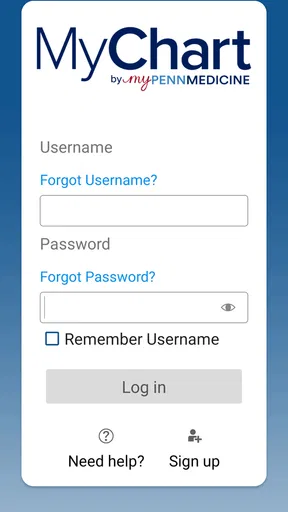
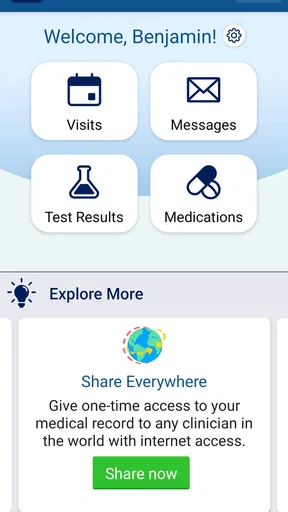
Our Review of myPennMedicine
 Analysis by Appyee
Managing healthcare is rarely convenient, especially when information is spread across appointments, phone calls, paper instructions, and separate messages. myPennMedicine is designed to bring Penn Medicine patients closer to their personal medical records through a secure mobile app. I found its value less in flashy extras and more in reducing the number of small obstacles between a patient and the information they need.
That focus matters. This is a medical app from Penn Medicine, not a general wellness tracker or an emergency-care replacement. Its purpose is tied to the patient relationship, so the experience makes the most sense for people who already receive care through that health system. If you are looking for exercise coaching, symptom diagnosis, medication reminders from multiple providers, or a universal health-record tool, this is probably not the right fit.
For the right patient, though, having a familiar place to check personal medical information can make routine care feel more manageable. I would describe it as a practical access point rather than an app that tries to become your entire healthcare life.
Trust starts with knowing what the app is for
The first thing I would want to establish with a medical app is whether its scope is clear. Here, the central purpose is straightforward: secure access to personal medical records for Penn Medicine patients. That clarity is reassuring because it sets a reasonable expectation. The app is connected to a specific care provider, so it is not presenting itself as an independent medical authority.
That distinction is important during stressful moments. If I am trying to understand information connected with a Penn Medicine visit, a provider-specific app is more likely to be useful than a generic health organizer that depends on manually entered notes. At the same time, I would not treat anything in the app as a substitute for urgent medical help. A record-access tool can support communication and preparation, but it cannot replace emergency services or professional judgment.
The developer is Penn Medicine, which gives the app a direct connection to the organization named in its purpose. I also appreciate that the age classification is Everyone. That does not mean every part of a medical record is suitable for every family situation, but it does make the app broadly accessible from a store-classification perspective.
The app is free to download, which removes an obvious barrier for patients who need access to their own information. Free access is particularly appropriate here: a person should not have to decide whether record access is worth a subscription fee. Still, “free” does not remove the need to think carefully about the device, account, and network used to open sensitive information.
Its release history also suggests that this is an established product rather than a brand-new experiment. The app first appeared on September 16, 2019, and the current version is 11.8.3. I would still keep the app updated, especially for a medical service, because account access and compatibility can depend on the current version of the software and the operating system.
What I would check before relying on it
Before making it part of my routine, I would confirm that my care is actually connected to Penn Medicine and that I can sign in using the account associated with that care. This is a small step, but it prevents a common frustration: downloading an app that looks useful and only discovering later that it does not apply to your provider relationship.
I would also decide where and when I am comfortable opening it. A medical record can contain information I would not want displayed in a waiting room, on a shared tablet, or in front of someone else. The app may be convenient, but convenience should not turn into casual exposure.
The public response is generally positive, with an average rating of 4.4 from around 1.2 thousand ratings. That is a healthy signal of user satisfaction, although I would not treat a rating as proof that every patient will have a smooth experience. Medical apps are especially dependent on account status, provider systems, and the user’s particular situation.
Controls matter more than a polished home screen
When I assess a healthcare app, I pay attention to the choices it gives the user rather than assuming that a secure-looking design tells the whole story. The useful question is whether I can control access to my account, understand what I am doing, and avoid exposing information by accident.
With a personal-record app, account control is the practical foundation. I would use a strong, unique password for the associated account and avoid saving credentials on a device that other people regularly use. If the phone has a screen lock, I would keep it enabled. Those habits are not glamorous, but they are more meaningful than a reassuring color scheme or a medical logo.
I would also pay attention to sign-in prompts, session behavior, and any device-level options available to me. If the app asks me to verify my identity again, I would see that as an inconvenience worth accepting when sensitive information is involved. The trade-off is simple: faster access is pleasant, but extra friction can be appropriate when the material being protected is personal health information.
Notifications deserve a careful look as well. A message preview appearing on a locked screen could reveal more than I intended. I would review the phone’s notification settings and choose a level of detail that fits my circumstances. Someone who lives alone may make a different choice from someone who shares a phone, has children using the device, or keeps it visible at work.
These are the kinds of controls I would actively verify instead of assuming they are configured perfectly. The app’s job is to provide access, but the user still decides where that access happens and who can physically reach the device.
A useful workflow before an appointment
One of the strongest everyday uses is preparing for a visit. Rather than opening the app for the first time while sitting in a crowded clinic, I would sign in at home, make sure I can reach the relevant record area, and review anything I want to discuss. That preparation can help me write down questions while I am calm instead of trying to remember them during a short appointment.
For example, imagine I have a follow-up appointment after receiving new instructions. The evening before, I could review the information available through my Penn Medicine account, note anything that is unclear, and keep my questions in a separate private note. At the visit, I would have a more focused conversation instead of spending the first few minutes reconstructing what happened previously.
This workflow also highlights a limitation: the app is only as useful as the information and access connected to the patient account. If I receive care from several unrelated organizations, I should not assume that every record will appear in one place. I may still need other portals, paper documents, or direct communication with another provider.
Where the app can reduce avoidable friction
Medical care often involves small administrative tasks that are easy to postpone. A dedicated patient app can make it more natural to check information when I have a few spare minutes rather than waiting until I need an answer urgently. That is especially helpful for people who dislike phone calls, have difficulty keeping paperwork organized, or want to review information privately before asking a family member for help.
I would use it as a reference point before contacting the care team, not as a reason to avoid contacting them. If something is confusing, incomplete, or inconsistent with what I was told, the right next step is clarification from the provider. A record-viewing app can help me ask a better question, but it cannot guarantee that I will interpret medical language correctly.
Another practical advantage is continuity during ordinary life changes. When preparing for a move, changing jobs, or organizing information for a family discussion, having a central digital access point may be easier than searching through folders. I would still protect screenshots, downloaded documents, or copied notes just as carefully as the app itself, because creating a second copy can create a second privacy risk.
Privacy-sensitive moments require deliberate choices
The most important trust test is not whether I can open the app on a quiet day. It is how carefully I use it when I am tired, worried, or in a hurry. Those are the moments when people take screenshots, forward messages, leave phones unlocked, or connect to unfamiliar networks without thinking through the consequences.
If I were checking personal records in a public place, I would position the screen so people nearby could not easily read it. I would avoid discussing sensitive details aloud while the app is open. I would also be cautious about using a shared device, even if the device belongs to someone I trust, because account sessions and saved credentials can outlast the moment when help was needed.
Family assistance introduces another trade-off. A trusted relative may help an older patient navigate the app, but sharing a password gives that person broad access rather than limited, task-specific help. I would prefer to keep control of my own login and supervise assistance directly whenever possible. If someone needs ongoing access, I would look for an official account or proxy arrangement through the healthcare provider rather than improvising with shared credentials.
Caregivers should also remember that convenience and consent are not the same thing. Helping someone read a record is different from deciding who else should see it. I would discuss those boundaries clearly, especially when the phone is shared or when several family members are involved in care.
Network choice is another sensible precaution. I would prefer a trusted mobile connection or a password-protected private network over an open public hotspot when viewing sensitive records. This is not a claim about a particular connection method inside the app; it is simply a prudent habit for any service involving personal medical information.
How I would handle account problems
If I could not sign in, I would avoid repeatedly guessing passwords or creating duplicate accounts without understanding which account is linked to my care. I would use the official recovery route associated with the service and confirm that I am dealing with the correct Penn Medicine account. Keeping a note of the account email or username in a secure password manager can make future access less stressful without writing it on paper beside the phone.
I would also avoid sending personal medical details through random support channels found in search results. When an account problem involves health information, it is worth checking that the help route belongs to Penn Medicine before sharing anything. The safest support conversation is one that begins with the minimum information needed to identify the access problem.
People who frequently change phones should plan the transition rather than assuming everything will carry over automatically. Before wiping an old device, I would make sure I can access the account from the new one and that the old device no longer retains a usable session. That is a small but often overlooked part of responsible account management.
Who gets the most value from it?
I think myPennMedicine is most useful for patients who regularly receive care through Penn Medicine and want a direct way to stay connected with their personal records. It can be a good fit for someone who prefers checking information digitally, wants to prepare for appointments, or needs a more organized alternative to relying on memory and paper.
It may also suit a patient who is comfortable managing account security independently. The app does not remove the need to protect a phone, review notifications, and make thoughtful decisions about sharing. Someone who is willing to spend a few minutes setting those habits up is more likely to enjoy the convenience without treating the app casually.
I would be more cautious about recommending it as the only healthcare tool for a person whose care is divided among many unrelated providers. In that situation, a broader health-record organizer or the portals supplied by each organization may be necessary. The provider-specific focus is a strength when your care is within Penn Medicine, but it is also the main boundary of the experience.
I would also hesitate to recommend relying on it for someone who expects instant answers to medical questions. This is not a diagnostic assistant, and it should not be used to decide whether an urgent symptom can wait. If the goal is emergency guidance, immediate professional help is a better choice.
How it compares with the usual alternatives
Compared with paper records, the app should be easier to keep available and review before a visit, provided the account and phone are accessible. Paper can be useful as a backup, but it is easy to misplace and difficult to update. Digital access is more convenient, while paper may feel simpler for someone who avoids smartphones.
Compared with calling a clinic for every administrative question, a patient portal can reduce dependence on office hours and phone queues. The compromise is that a phone call may be better when the situation is complicated, urgent, or difficult to explain through a screen. I would use the app to gather context and the phone when a human conversation is clearly more efficient.
Compared with a general health app, this one has a narrower purpose and a more direct relationship to Penn Medicine care. A general app may be better for combining information from different providers or tracking lifestyle data, but it may require more manual organization. The choice depends on whether I value provider-specific access or broad personal-health aggregation.
That distinction is the most important buying decision here, although there is no purchase involved. The app is free, and it has passed the threshold of over one hundred thousand installs, but popularity does not make it universally suitable. The real question is whether Penn Medicine is the organization whose records I need to reach.
My cautious verdict after weighing convenience and control
I see myPennMedicine as a sensible, focused medical app for the patients it is built to serve. Its strongest quality is not novelty; it is the practical idea of putting Penn Medicine record access in a place that can be checked before, during, and after ordinary care tasks. The free price and Everyone age classification make it approachable, while the established release history and current version show that it is not a temporary experiment.
My recommendation comes with a clear condition: use it as a secure access point, not as a replacement for medical advice or every other healthcare resource. Set up the account carefully, protect the phone, review notification visibility, and think before sharing screenshots or login details. Those steps make the convenience more responsible.
The app’s rating of 4.4, based on around 1.2 thousand ratings and 559 reviews, indicates that many users find it worthwhile, but my decision would still depend on my relationship with Penn Medicine and my expectations. If I need a provider-specific way to review personal records and prepare for care, I would recommend trying it. If I need a universal medical dashboard, diagnosis support, or urgent guidance, I would choose a different tool or a direct professional service.
My bottom line is simple: it is most trustworthy when I treat access as a responsibility, not just a convenience. For a Penn Medicine patient who wants a direct digital connection to their care information, that balance makes the app a useful addition to a healthcare routine.
Verdict
Strengths of myPennMedicine
- Secure access to appointments, test results, and medical records
- Easy prescription refill requests and medication list management
- Supports direct messaging with participating care teams
- Lets users review bills, estimates, and insurance information
- Helpful health reminders and personalized care notifications
Limitations of myPennMedicine
- Some features depend on your provider being part of the Penn Medicine network
- Account setup may require identity verification and personal information
- Messages may not receive an immediate response from medical staff
- Large records and test reports can be difficult to navigate on mobile
- Not intended for emergencies or urgent medical advice
Similar Picks in This Category
View All
WebMD: Symptom Checker
WebMD, LLC4.1

Microphone Amplifier
DOSA Apps4.2

Anatomy Learning - 3D Anatomy
3D Medical OU4.5

Period Tracker and Calendar
SimpleInnovation4.9

GoodRx: Prescription Coupons
GoodRx4.8

CVS Health
CVS Pharmacy4.5
Frequently Asked Questions
What is myPennMedicine, and what can I use it for?
myPennMedicine is the official patient portal app for Penn Medicine. After signing in, you can review parts of your medical record, see test results, manage appointments, request prescription refills, message your care team, view bills, and access health information. The exact features available may depend on your Penn Medicine location, provider, and whether your records have been connected to your account.
How do I create or activate a myPennMedicine account?
To use the app, you generally need to be a Penn Medicine patient and have an activation code or another approved enrollment method. Registration may require personal information used to verify your identity. If you already have a myPennMedicine account through the website, you can normally use the same username and password in the mobile app. Contact Penn Medicine support if activation fails or your information cannot be matched.
Can I use myPennMedicine to schedule appointments and communicate with my doctor?
The app can make managing care more convenient, but appointment options vary by department and provider. You may be able to request, schedule, cancel, or review certain appointments, while some visits require calling the office directly. Secure messaging is intended for non-urgent questions and follow-up communication. Do not use the app for emergencies or situations requiring immediate medical attention.
Is my medical information secure in the myPennMedicine app?
myPennMedicine is designed to provide access to protected health information through a secure patient-portal connection. You should still protect your account by using a strong, private password, enabling available device security features, and avoiding sign-in on shared or public devices. Always log out when necessary, keep your phone updated, and contact Penn Medicine promptly if you suspect unauthorized account access.
Does myPennMedicine cost money, and is it available for both Android and iPhone?
The myPennMedicine app is generally available as a free download for compatible Android and iOS devices, although mobile data charges from your carrier may still apply. Downloading the app does not replace medical insurance, appointment fees, or other healthcare costs. Availability, supported operating-system versions, and certain features can change, so check the official app store listing before installing.
